Lumber Mill - animated battle map pack w/Fantasy Grounds support - TTRPG Map
Publisher: Dungeon Masters Guild

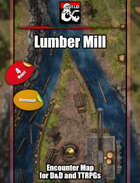
Lumber Mill Animated Battle Map Pack

Did you see the saw? Chopping down primeval forests is one thing, turning those massive trees into useable lumber is another thing, and that's where this sawmill comes in! Employing the current of a conveniently forked river is perfect to facilitate the transport of raw materials and finished products, which also turns the water wheel that powers the massive saw! Just another industrial site where nothing might go wrong, certainly not abandoned after hauntings or attacks from the forest animals, elves, or loraxes. Fully animated and available in versions with and without the roof over the mill, as well as with the daring settlement of this installation in a fey land, clearly instruct your party to keep their hands and fingers away from the machinery at all times! It's been 0 days since the last accident...
All setup and ready to play in Fantasy Grounds
- 4 .jpg maps 4000x4000 (40 x 40)
- 4 .webm animated maps
- Fantasy Grounds .mod file which has all of the maps with LoS and grid data
FAQ:
Do these maps work with Roll20/Foundry/XXX virtual tabletop?
You can import the JPG files into any system you use to play your games online that allows them, however, if you want to use the .mod file with the grid and line of sight data you will need to use Fantasy Grounds Unity.
The webm v8 files sold here are specifically for use in fantasy grounds, all other places my maps are sold these are v9.
How do I use the .mod File?
- When you open up Fantasy Grounds Unity, before you load anything else up, click on the folder in the top left corner of your screen.
- This will open the place on your computer the Fantasy Grounds file are saved. Drag the .mod file into the folder called "modules".
- Once you load your game, in the bottom right you should be able to choose Library -> Modules and choose the file you just added.


 Price
Price: $4.99